Two-way links
Which supporting pages link up to the pillar and get a link back. These are the ones holding the cluster together.
Pillark reads the internal links between your pillar page and everything around it, then shows you what is missing. That includes the pages which mention each other but never link.
Free · Works alongside Yoast SEO and Rank Math
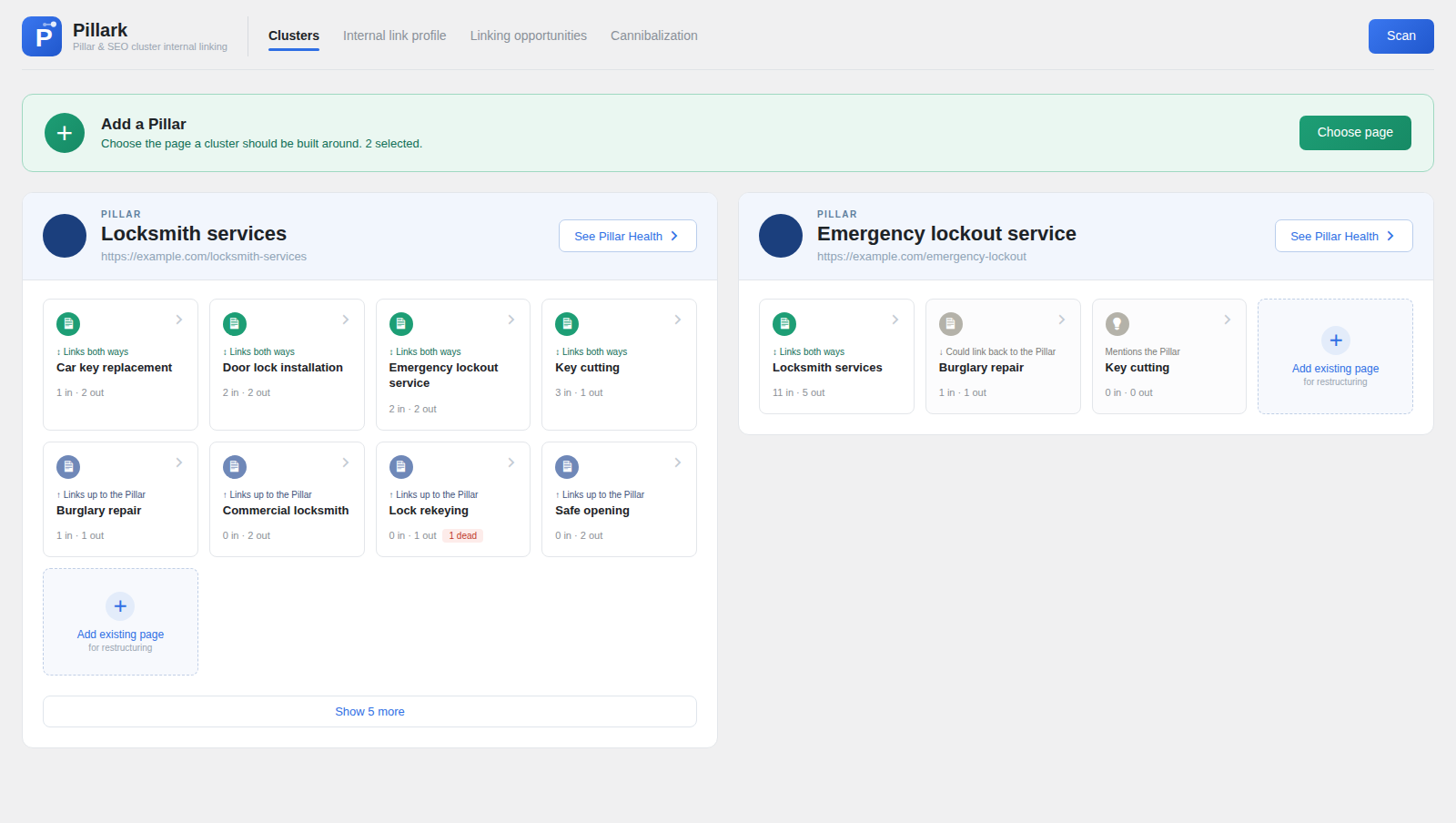
Pick the page a cluster is built around. Pillark maps every internal link on the site and shows each supporting page as a card. Green means the link runs both ways, blue means it runs one way, and grey means a page mentions the pillar without linking to it.
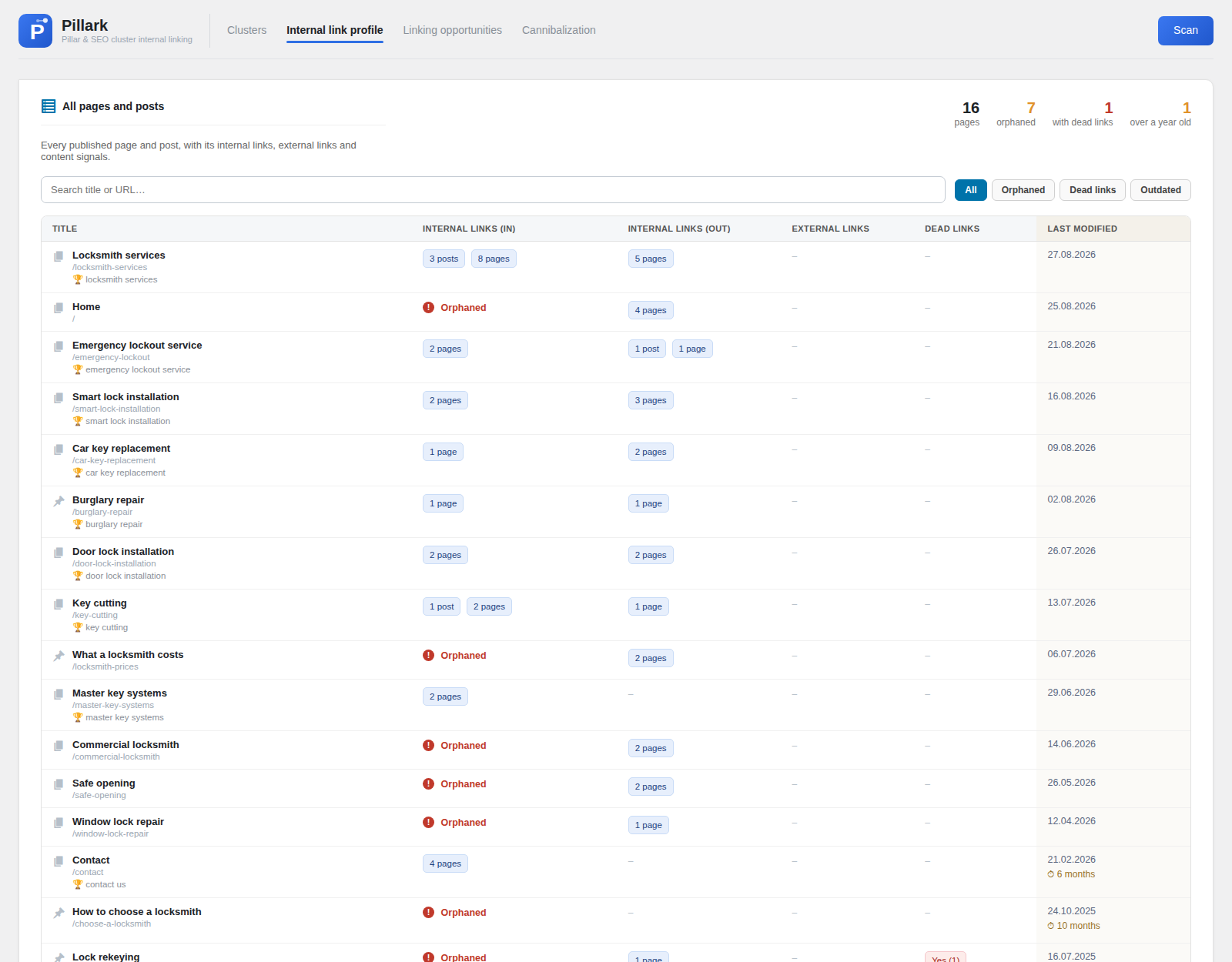
One table covers every published page and post. It shows how many pages link in, how many it links out to, external links, dead internal links and when the page was last touched.
Pages with no incoming links at all are marked in red. Those are the ones search engines are least likely to find.
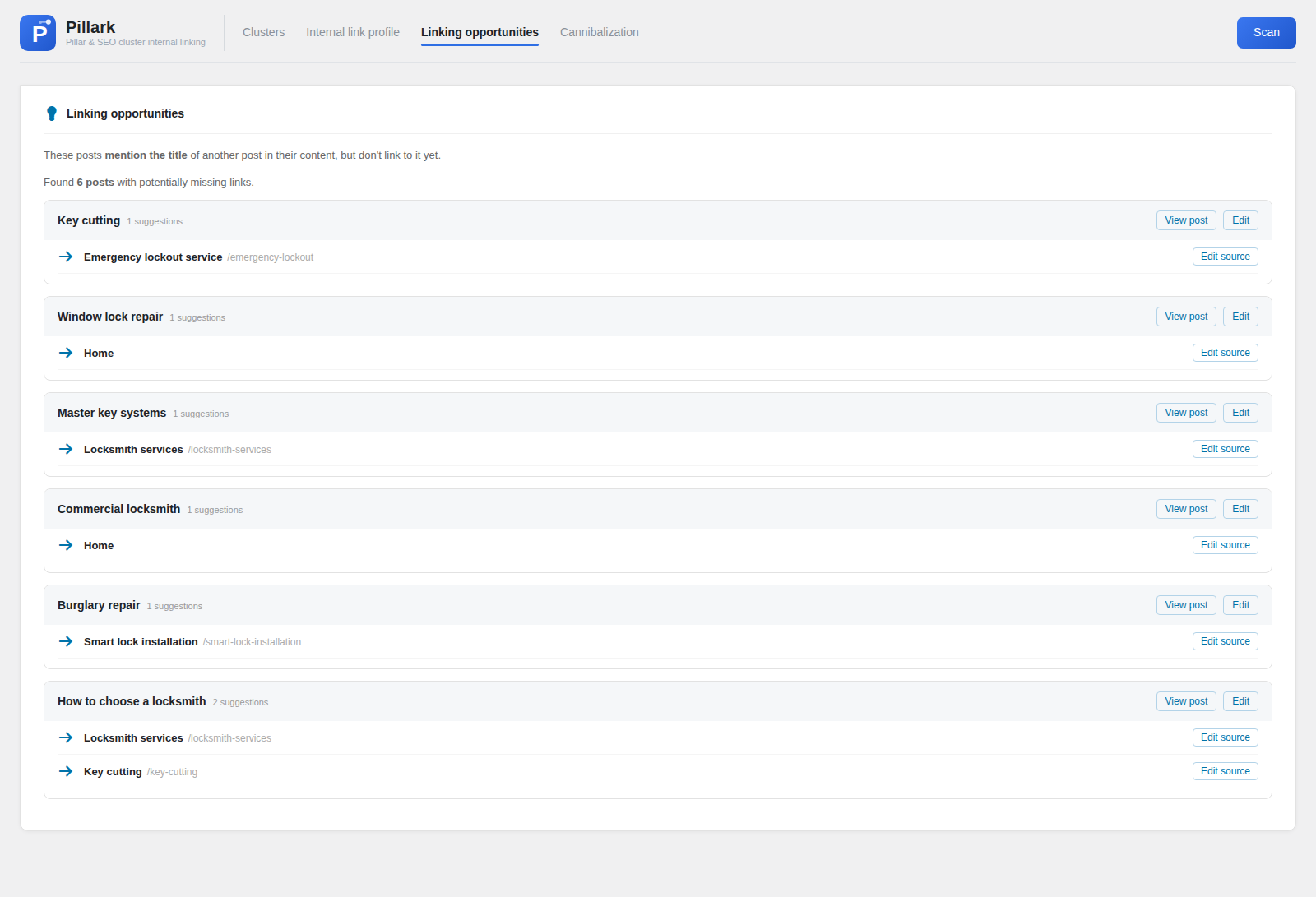
Pillark compares every page against every other one. When a page names another by title but does not link to it, that pair is listed with the page to open.
These are the cheapest internal links you can add. The sentence is already there and the context is right, so all that is missing is the link itself.
Everything is computed from your own content. No API keys, no external service, no data leaving your site.
Which supporting pages link up to the pillar and get a link back. These are the ones holding the cluster together.
Pages that link up without a link back, or the reverse. This is often deliberate, so Pillark shows it as a note rather than an error.
Pages that already name another page without linking to it. These are the easiest internal links to add.
Links that say "read more" or "click here" instead of describing the page they point to.
Links pointing at pages that no longer exist. Each one is checked against posts, pages, archives and taxonomies, so the count can be trusted.
Attach an existing page to a cluster by hand while restructuring, before the links between them exist.
Titles, meta descriptions, sitemaps and schema output are solved problems, and Yoast SEO and Rank Math give them away for free. Pillark deliberately stays out of that work and does the part nobody else covers.
| Job | Handled by |
|---|---|
| Pillar and cluster structure | Pillark |
| Link direction between a pillar and its pages | Pillark |
| Anchor text that describes what it points to | Pillark |
| Pages that mention each other without linking | Pillark |
| Internal links that lead nowhere | Pillark |
| Titles, meta descriptions, canonicals | Your SEO plugin |
| XML sitemaps and structured data | Your SEO plugin |
| Keyword research and rank tracking | Something else entirely |
No. Pillark reads their data where it is useful, such as the focus keyword used for the cannibalization report, and never writes to it. All three can run together.
Everything is computed in one pass and cached, so the cost is the same whether you open one cluster or ten. Sites with a few thousand posts are fine.
Never on its own. Pillark tells you what to add and opens the editor at the right page. You write the link.
Any page that links to your pillar, any page your pillar links to, and any page you attach by hand while restructuring. The front page is never counted, since it links to and is linked from everything.
Yes, on WordPress.org, with no paid tier and no upsell inside the plugin.
Lasse Enggaard, a Danish SEO specialist who has worked with SEO since 2015. He built Pillark for his own client work, because he needed a better overview of how the pages on a site were linked.
Free on WordPress.org. Install it, pick a pillar page, and your first cluster is on screen in under a minute.
Get Pillark